Lesson #13 Enemies
Enemy AI
Let's make our adversary and give him the ability to move towards our player.
1. Make a new Character class blueprint called BP_Enemy. Add a cube component and transform the capsule component to fit your cube.
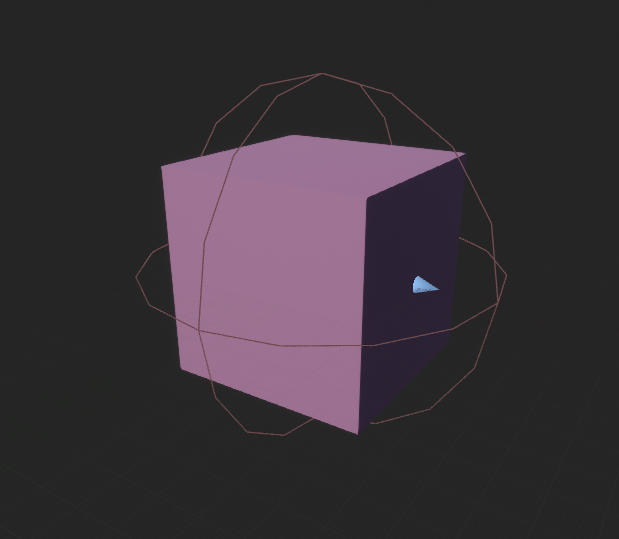
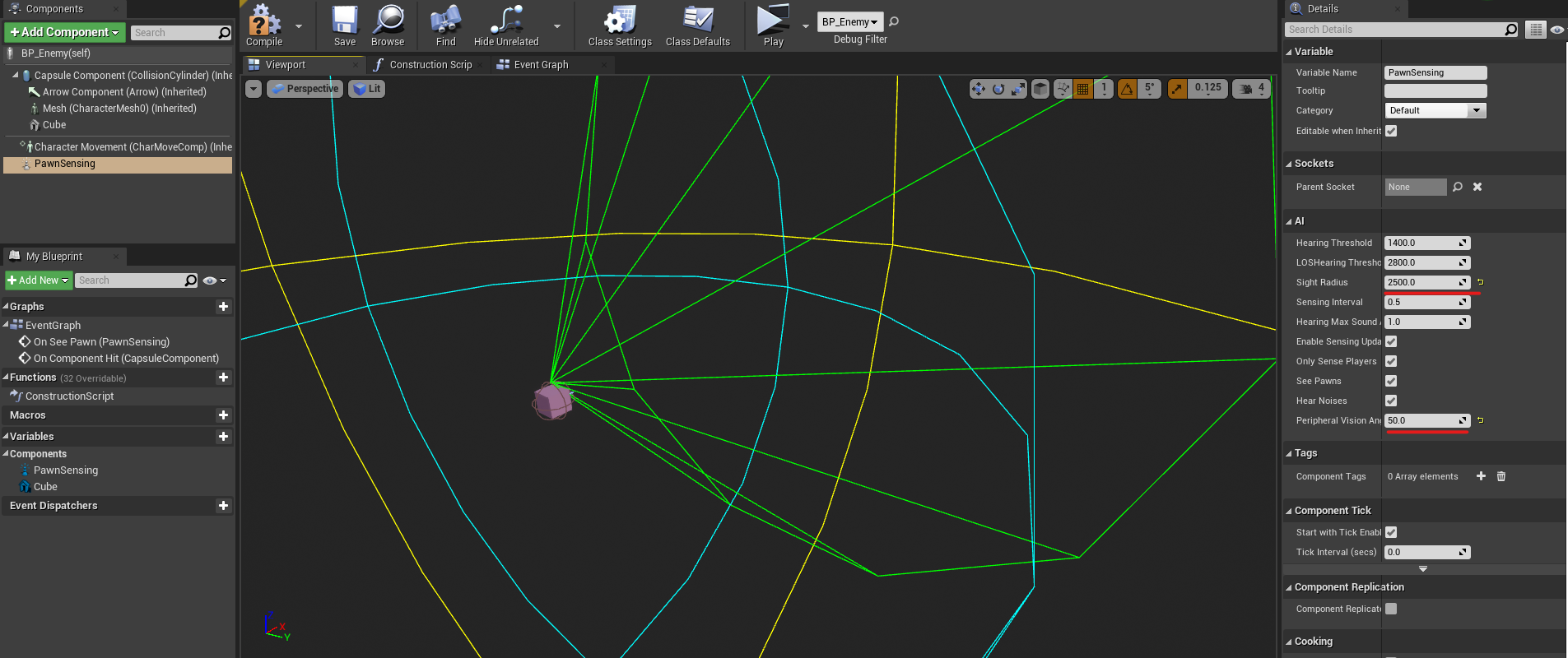
2. Add the PawnSensing component now. This is a pre-installed AI component. You can change the AI's vision angle and other settings in the AI section. Set it to whatever you want. You can also change the speed of the character in the character movement component if the enemy is too fast.
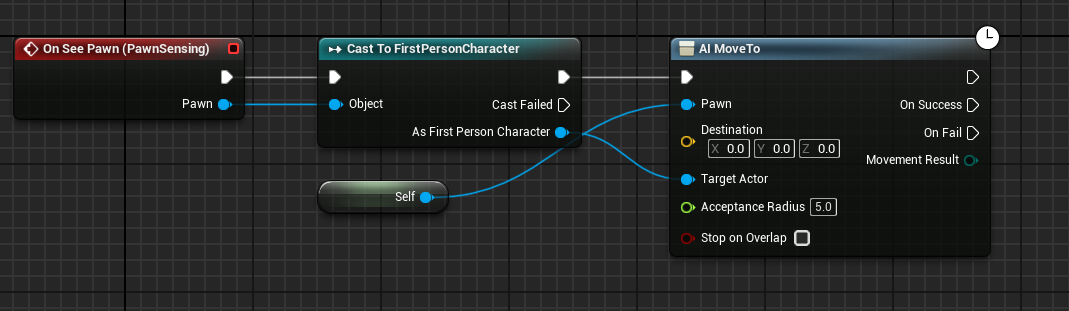
3. Open the Event Graph and select On See Pawn from the PawnSensing events. Then, for our FirstPersonCharacter, add AI Move to. Set target actor as our FirstPersonCharacter, and self as the pawn to be moved. Compile and save your work.
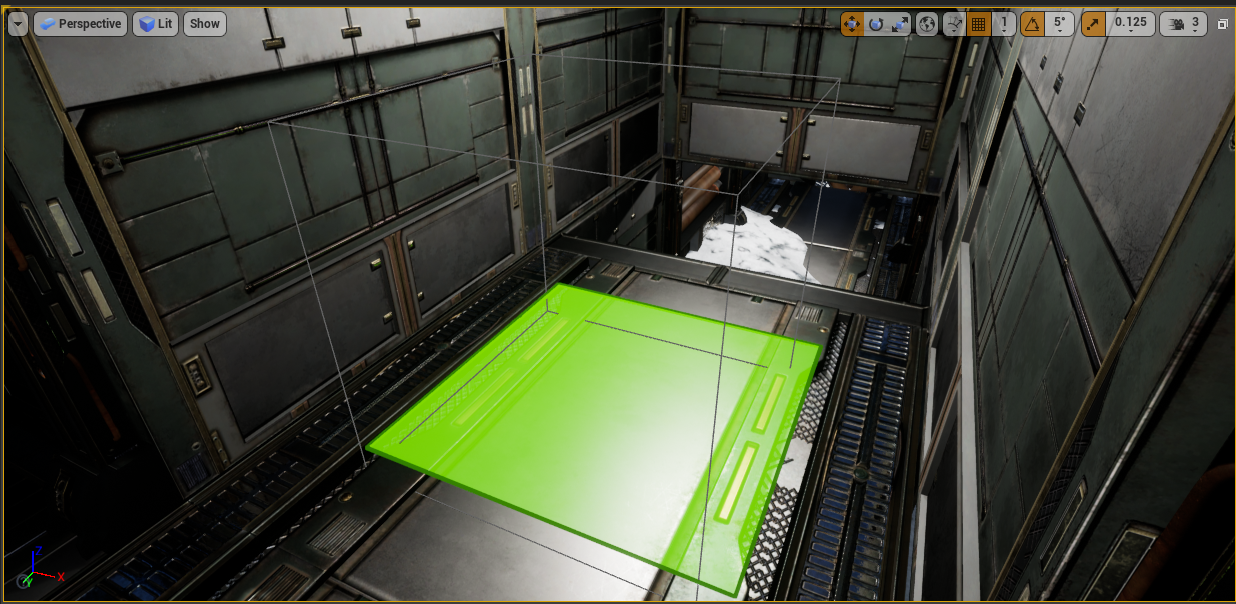
4. Find nav mesh bounds volume in the place actors tab and drag it to your level. This is the area within which all AI blueprints can move. Scale it and press P to see where your opponent can walk.
5. Insert your enemy blueprint into the scene, and it should now follow you.
Deal damage to enemies
We must destroy the enemy in some way, so let us create logic to deal damage to our adversary.
1. Navigate to the AK blueprint and select the Line Trace function. The last line trace resulted in a break hit. Now, cast a hit actor from the break result in BP_Enemy. If it hits an enemy, it will destroy it; however, if it does not, we still want to continue, so make your graph look like this.
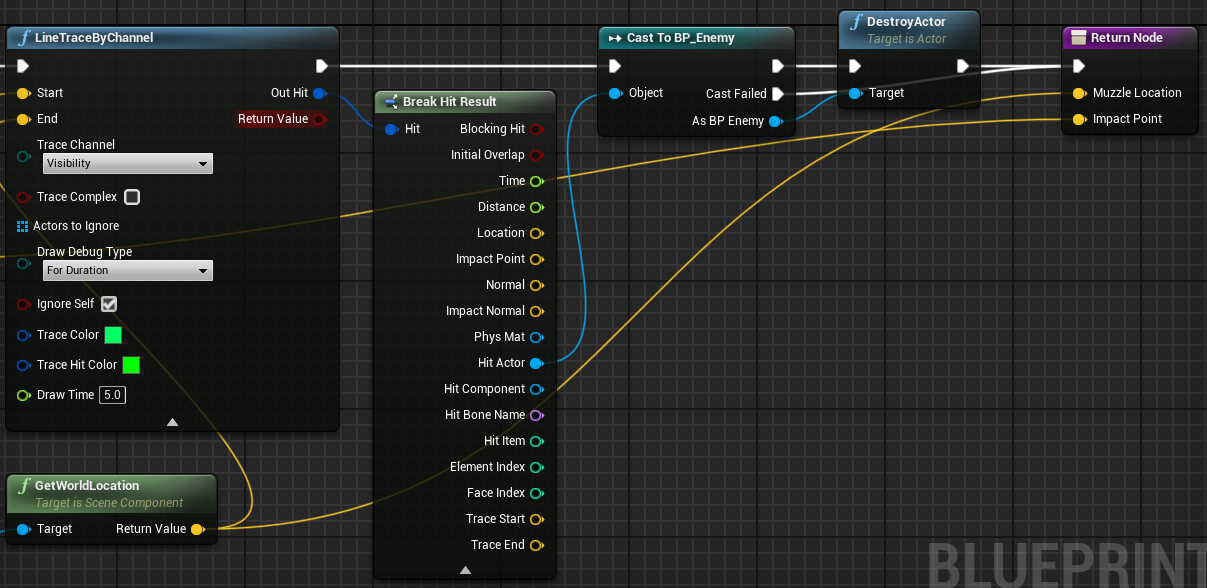
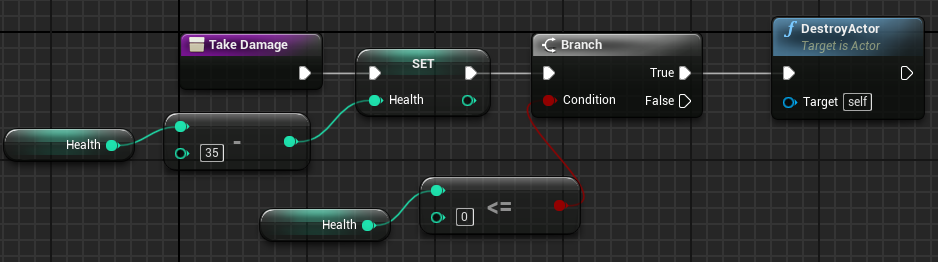
2. But we don't want to destroy our enemies so quickly. Let's create a function on our BP_Enemy called TakeDamage. Let's decrement enemy health by 35, for example, and see if it's less than or equal to 0. If this is true, then we will destroy our adversary.
3. Now, whenever our line collides with an enemy, we'll refer to this as the take damage function rather than the destroy function.
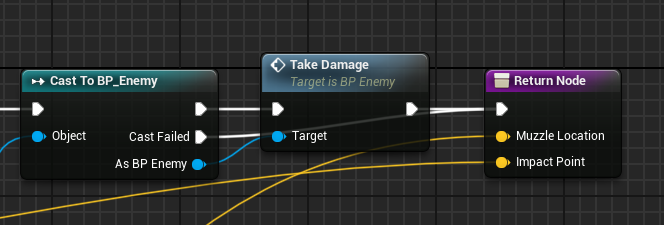
Now we can kill our enemies. Also you can tur off lines in Line trace function.
Damage Player
Our enemies must attack us and reduce our health.
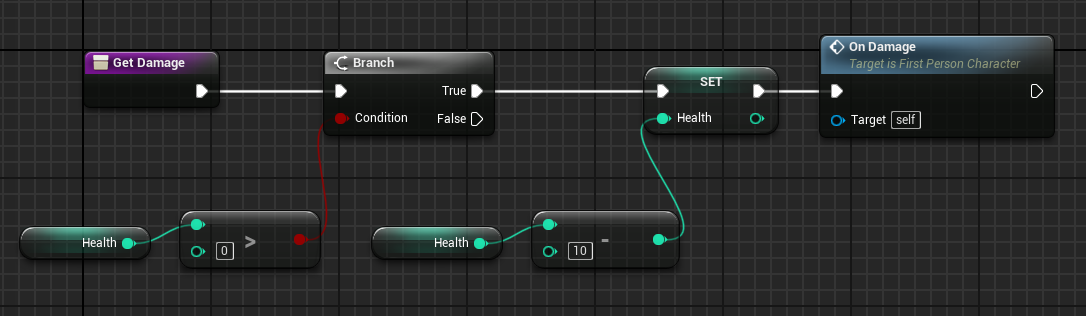
1. Create a new function called GetDamage in the first person character. Paste in all of our health logic except the timeline.
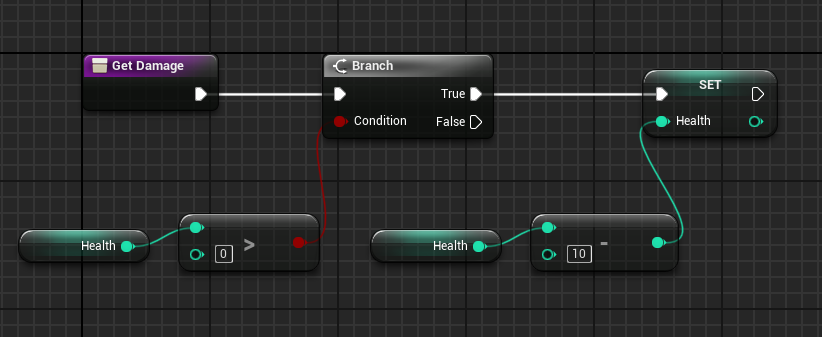
2. In the event graph create new event called On Damage and connect it to your vignette timeline.
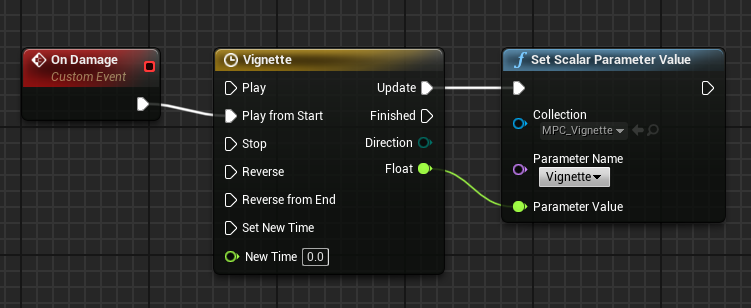
3. Back to GetDamage function, trigger this event after decrementing damage. Compile and save.
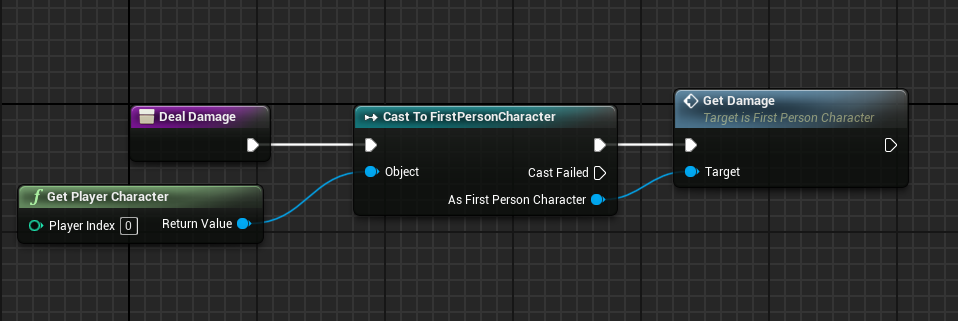
4. Create a function called Deal damage in the enemy blueprint. Create a Boolean variable called CanAttack, and set it to true by default. Get our player character, cast to our FirstPersonCharacter, and then call the get damage function.
5. Capsule collider has now been added to the Enemy Event Graph. Hit on a component. Call the deal damage function and cast to our first-person character. Check for the can attack variable as well. If it's ture, disable it and add a delay before re-enabling it.
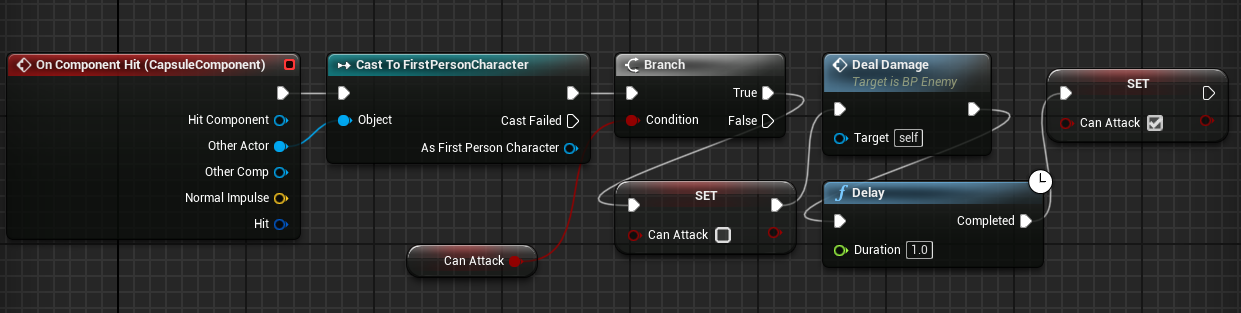
Now when enemies hit us, we are getting damaged.
In the following lesson, we will create game menus such as the main screen, pause, and game over.
© 2025 Edward Leks. All rights reserved.